Mueez Khan
Mueez Khan
Monitor AWS Network Traffic with VPC Flow Logs using Cloudwatch and AWS CDK
Sample use cases for VPC flow logs and how to deploy them with AWS CDK for
Python.
Published: 2022-08-18
Last updated: 2024-01-17
work
python
aws
cloud
Note: This is a repost of this blog post with the help of James Becker and reviewed by Milin Patel. The post was published on the company Rearc's blog page on August 18, 2022 during my summer internship and shared by Rearc on Linkedin.
Note: This post's content may be outdated by now.Flow logs are the native network logging layer for AWS. These logs can be setup specifically for logging IP traffic on subnets, network interfaces, or VPCs. VPC flow logs in particular contain a vast amount of IP traffic information and data points for our resources that can be leveraged for:
- Monitoring boundaries for networks and AWS accounts
- Detecting anomolous network activity
- Catching unintentional cross-region data transfers early (to avoid unnecessary costs)
- Identifying system optimizations based on AZ distribution
- Performing various network traffic flow optimizations
- Deploy VPC flow logs to Amazon CloudWatch using AWS Cloud Development Kit (CDK) for Python
- Identify relevant data points with example use cases
- Query traffic logs for specific data points.
VPC flow log example architecture
In the following example, a flow log publishes all IP resource traffic in a VPC to a CloudWatch log group: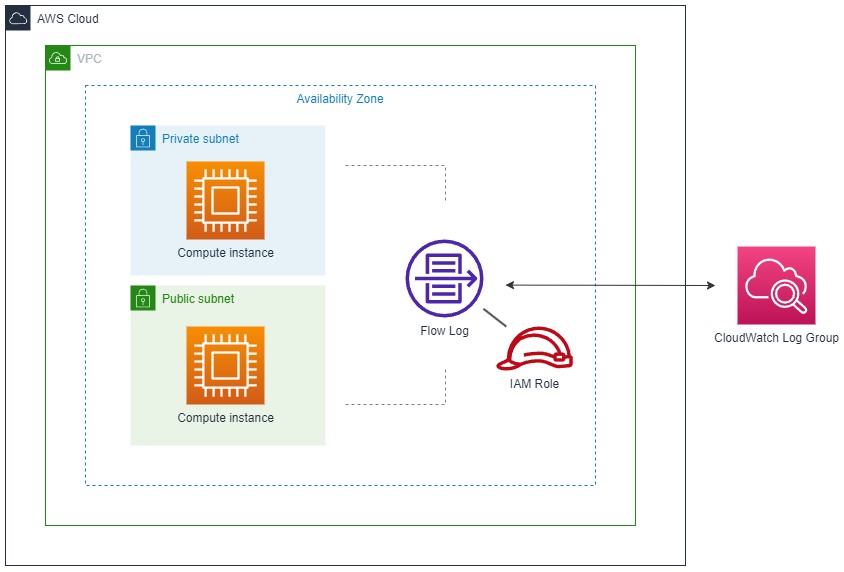 The flow log needs an IAM role with write-access for publishing the logs to CloudWatch.
How CloudWatch organizes VPC flow log data
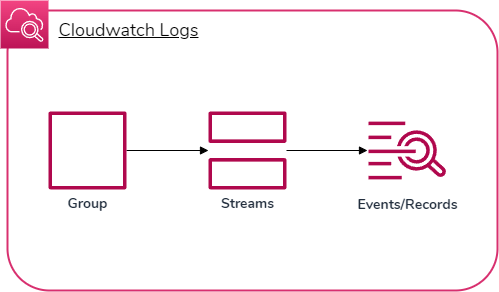 The way VPC flow logs are published to CloudWatch is in three steps:
- A log group is created for archiving all flow log data
- A log stream is created for each resource being monitored
- Log events are created within each log stream with custom data points for IP traffic
Deploy VPC flow logs publishing to CloudWatch logs for near real-time analytics
Now that we have an idea about how flow logs work and how we can find our network data in CloudWatch, let's build some flow logs!Deploying VPC flow logs with AWS CDK
AWS CDK allows us to write cloud application resources through code in a supported language (Typescript, Python, Go, etc.) which then gets provisioned/deployed by AWS CloudFormation in the background. We often use constructs, which are basic cloud components that can be made of one or more resources, in order to build our application. There are a couple ways we can set up flow logs with AWS CDK for Python:- The VPC construct has an intuitive
add_flow_logmethod - The default AWS CDK
FlowLogconstruct is a high-level flow log resource we can add to a CDK stack by instantiating it
log_format attribute. By building a custom construct based on CfnFlowLog, we can:
- Customize the log format
- Modularize the construct into its own file
- Reuse the construct for any given VPC in an AWS CDK stack
Custom FlowLog construct
from aws_cdk import aws_iam as iam, aws_logs as logs, aws_ec2 as ec2
from constructs import Construct


class FlowLog(Construct):
  def __init__(self, scope: Construct, id: str, *args, vpc: ec2.Vpc, **kwargs):
    super().__init__(scope, id, **kwargs)

    self.vpc = vpc

    self.role = iam.Role(
      self,
      "Role",
      assumed_by=iam.ServicePrincipal("vpc-flow-logs.amazonaws.com"),
    )

    self.log_group = logs.LogGroup(
      self, "LogGroup", retention=logs.RetentionDays.TWO_WEEKS
    )

    self.log_group.grant_write(self.role)

    self.flow_log = ec2.CfnFlowLog(
      self,
      "FlowLog",
      resource_id=self.vpc.vpc_id,
      resource_type="VPC",
      traffic_type="ALL",
      deliver_logs_permission_arn=self.role.role_arn,
      log_destination_type="cloud-watch-logs",
      log_group_name=self.log_group.log_group_name,
      log_format="${traffic-path} ${flow-direction} ${region} ${account-id} ${interface-id} ${srcaddr} ${dstaddr} ${srcport} ${dstport} ${action} ${log-status}",
    )
FlowLog Construct Definition
class FlowLog(Construct):
  def __init__(self, scope: Construct, id: str, *args, vpc: ec2.Vpc, **kwargs):
    super().__init__(scope, id, **kwargs)

      self.vpc = vpc
- The
FlowLogclass inherits fromConstructthat can be reused in multiple stacks for deployment - The parameter
vpcis required to associate a new or existing VPC in the stack with its own flow logs - The current instance's
vpcis identified withself.vpc
VPC, IAM Role, Log Group, and Write Permissions
      self.role = iam.Role(
        self,
        "Role",
        assumed_by=iam.ServicePrincipal("vpc-flow-logs.amazonaws.com"),
      )

      self.log_group = logs.LogGroup(
        self, "LogGroup", retention=logs.RetentionDays.TWO_WEEKS
      )

self.log_group.grant_write(self.role)- The IAM role is attached to VPC flow logs through its service principal
- The IAM role grants write permissions for publishing to the CloudWatch log group
- The CloudWatch log group can have its logs last for a specified timeframe called a retention period, such as two weeks or indefinitely
CfnFlowLog Resource
This is where the flow log is actually created and connects with all the other components we've setup. self.flow_log = ec2.CfnFlowLog(
self,
"FlowLog",
resource_id=self.vpc.vpc_id,
resource_type="VPC",
traffic_type="ALL",
deliver_logs_permission_arn=self.role.role_arn,
log_destination_type="cloud-watch-logs",
log_group_name=self.log_group.log_group_name,
log_format="${traffic-path} ${flow-direction} ${region} ${account-id} ${interface-id} ${srcaddr} ${dstaddr} ${srcport} ${dstport} ${action} ${log-status}",
)resource_id- Associates the flow log to a given VPC by IDdeliver_log_permission_arn- Associates the IAM role by ARN (for granting write permission to the CloudWatch log group we created)log_group_name- Identifies the log group to write flow logs tolog_format- Specifies the custom log format that appears on log events. Here is a full list of data fields you can customize the format with
Importing the FlowLog construct in a stack
A stack is a unit for deployment that is provisioned by AWS CloudFormation and can be added to an app for the stack to be deployed to AWS. You can imagine an app consisting of multiple stacks which consist of multiple resource constructs. We can import the custom flow log construct we just made into a stack to prepare it for deployment.from aws_cdk import Stack, aws_ec2 as ec2
from flowlog import FlowLog
class MyStack(Stack)
def __init__(self, scope: Construct, id: str)
super().__init(scope, id)
self.vpc = ec2.Vpc(self, "MyVPC")
self.flow_log = FlowLog(self, "MyFlowLog", vpc=self.vpc)- We can import the
FlowLogconstruct from a local Python file (flowlog.py) - A new VPC construct is instantiated and passed as an argument to the flow logs for specifying the VPC for generating log data
- The flow log construct is instantiated
Working with VPC flow log data fields
Identifying relevant data fields
There are plenty of data fields we can use for customizing our log format, as listed here. Recognizing the right fields depends on your use case, as some fields may be more useful than others. Here is a collection of data fields you may find useful for network traffic monitoring and security with sample use cases:| Field | Summary | Example use case(s) |
|---|---|---|
account-id | The AWS account ID of the owner of a source network interface. | Identifying AWS users so that only trusted users are accessing specific resources from the VPC. |
interface-id | The ID of the network interface (resource) whose IP traffic is being recorded. | Identifying which resource is being monitored in a flow log record. |
region | The region that contains the network interface for which traffic is recorded. | Evaluating whether region-to-region transfers are being made which generally results in high latency, bogged-down bandwidth, and high costs. |
subnet-id | The ID of the subnet that contains the network interface whose IP traffic is being recorded. | Ensuring resources are running in their proper subnets. |
srcaddr | Source address of incoming traffic or IP address of network interface for outgoing traffic. | Verifying only trusted resources are sending data out or detecting incoming traffic as possible threats or unknown sources. |
dstaddr | Destination address of outgoing traffic or IP address of network interface for incoming traffic. | Ensuring resources are only accessing verified destination addresses, or only trusted resources are being accessed. |
srcport | Source port of traffic. | Ensuring that only trusted applications on a local resource are being used for accessing external resources, or vice versa. |
dstport | Destination port of traffic. | Ensuring that only trusted applications on an external resource are accessing local resources, or vice versa. |
flow-direction | Whether the traffic flow is ingress (incoming) or
egress (outgoing). | Identifying only outgoing traffic by specifying
egress within a CloudWatch Log Insights query. |
traffic-path | A specific numerical value representing the path that egress traffic takes to its destination. | Verifying resources are using intended paths to their destination, such as a VPC gateway endpoint instead of a NAT gateway to lower S3/DynamoDB access costs. |
action | Whether the traffic is accepted (ACCEPT) or
rejected (REJECT). | Diagnosing traffic that may not be allowed by security groups or network ACLs, or packets arrived after a connection was closed. |
log-status | Whether data logged normally (OK), no network
traffic to/from the network interface (NODATA), or
some flow log records were skipped (SKIPDATA). | Ensuring traffic logging is successful, detecting if resources are unable to transfer data with each other. |
107530157253 eni-0c103a04bdb4e905c us-east-1 subnet-0cbf1673fe2 11.4.2.2 5.21.62.92 4213 80 egress 8 ACCEPT OKQuerying log records with CloudWatch Log Insights
CloudWatch Log Insights can be used to query CloudWatch log events with SQL-like syntax. VPC flow logs can aggregate CloudWatch log events very quickly, so querying can be very useful for specifying a log group's log events that we are interested in viewing based on their data points. For example, let's say we want to see recent outgoing traffic from a specific user's resources. Let's look for the 20 most recent log events where the user's account ID is107530157253 and the traffic is outgoing or egress. We can run the following query:
fields @timestamp, @message, accountId as ID, flowDirection
| sort @timestamp desc
| filter (
    ID = '107530157253' and
    flowDirection = "egress"
    )
| limit 20fieldsspecifies the values that are imported from a log event, where@messageis the log dataaccountIdis a given value from the log event referenced in the query asIDflowDirectionspecifies whether traffic is incoming (ingress) or outgoing (egress)filtergets log events that match one or more conditions
Conclusion
Enabling VPC flow logs that publish to CloudWatch logs has a multitude of benefits with the various data fields provided. Being able to directly monitor resources in a VPC and query data through flow logs can be a valuable addition to your networking toolset.References
- A full list of log event data fields can be found in the AWS Documentation here
- Further detail on CloudWatch log insights query syntax can be found here, along with sample queries here
Share your thoughts
Submit a comment about this post that may be shared.
Join the Newsletter
Receive updates during my career.
Featured Publications
Technical writing on work experiences, projects, and tools you may find useful.
Mapping open-pit mines in the US
Python
Polars
Folium
Leaflet
Marimo
New "Typing with Typst" course
Typst
Generating Plotly charts for water data

Python
Polars
Plotly
Data visualization
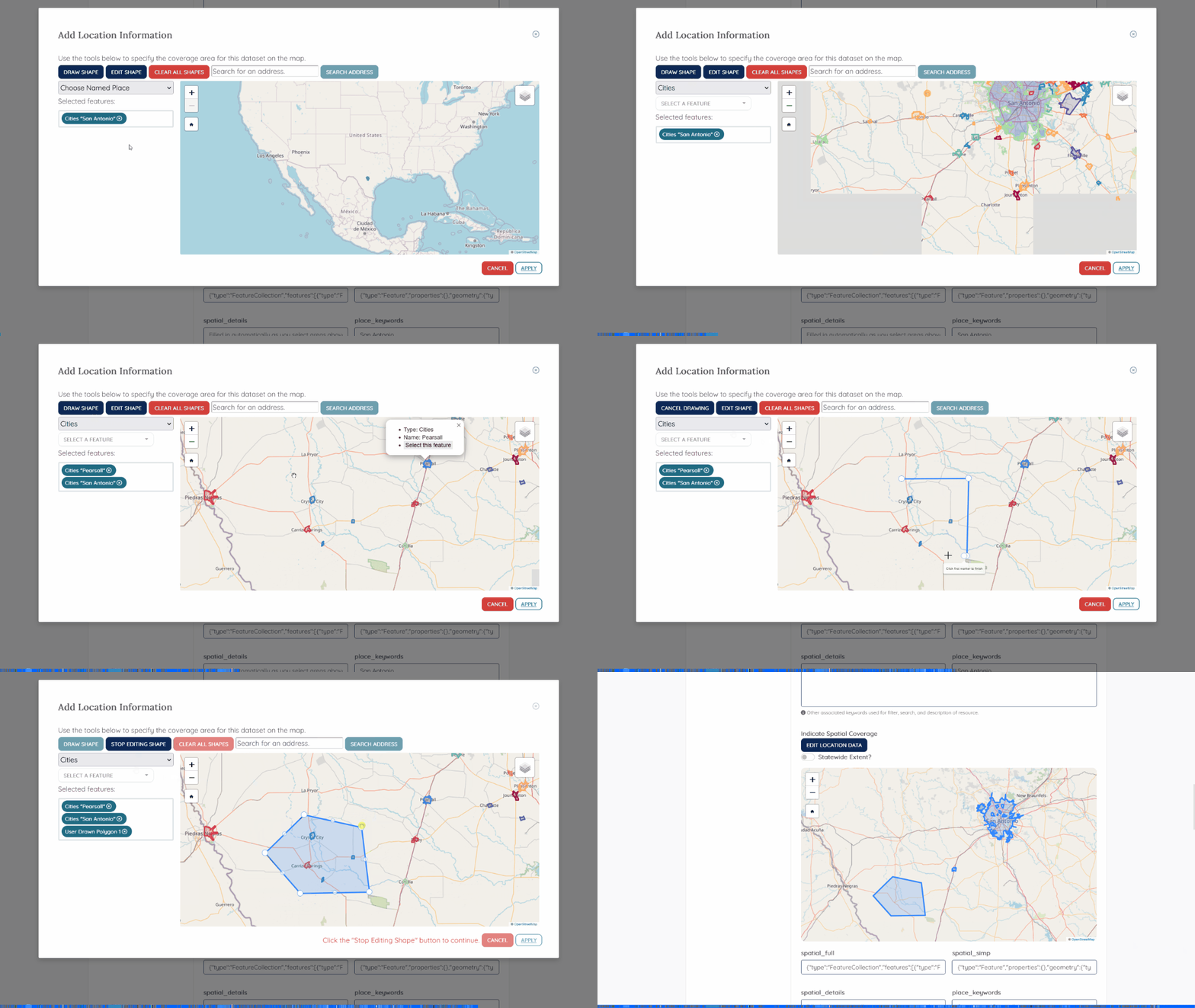
Gazetteers for Texas Water Data Hub
JavaScript
HTML/CSS
Python
Leaflet
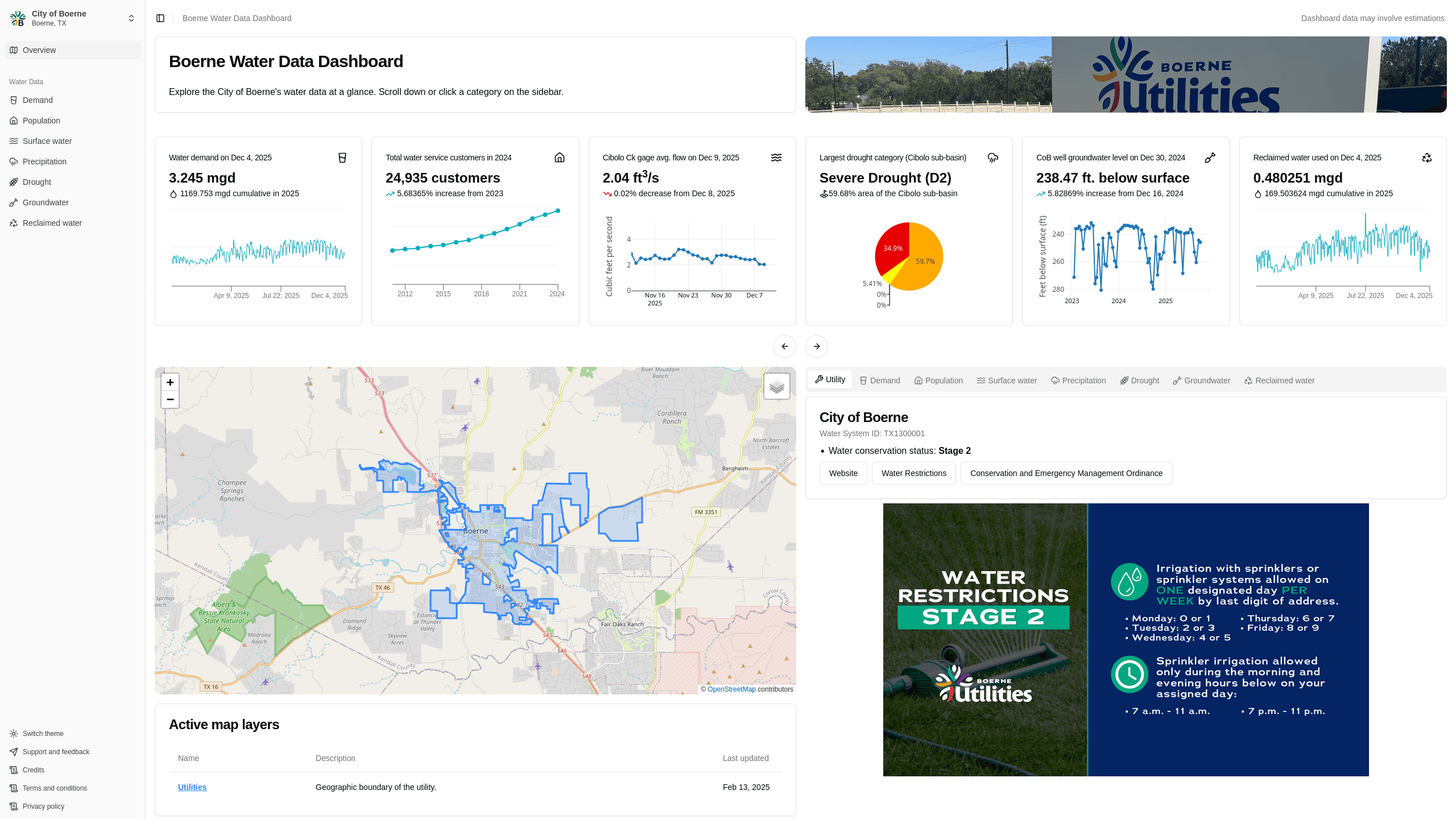
Boerne Water Data Dashboard
Next.js
Rust
Data visualization
Data engineering
Polars
Plotly
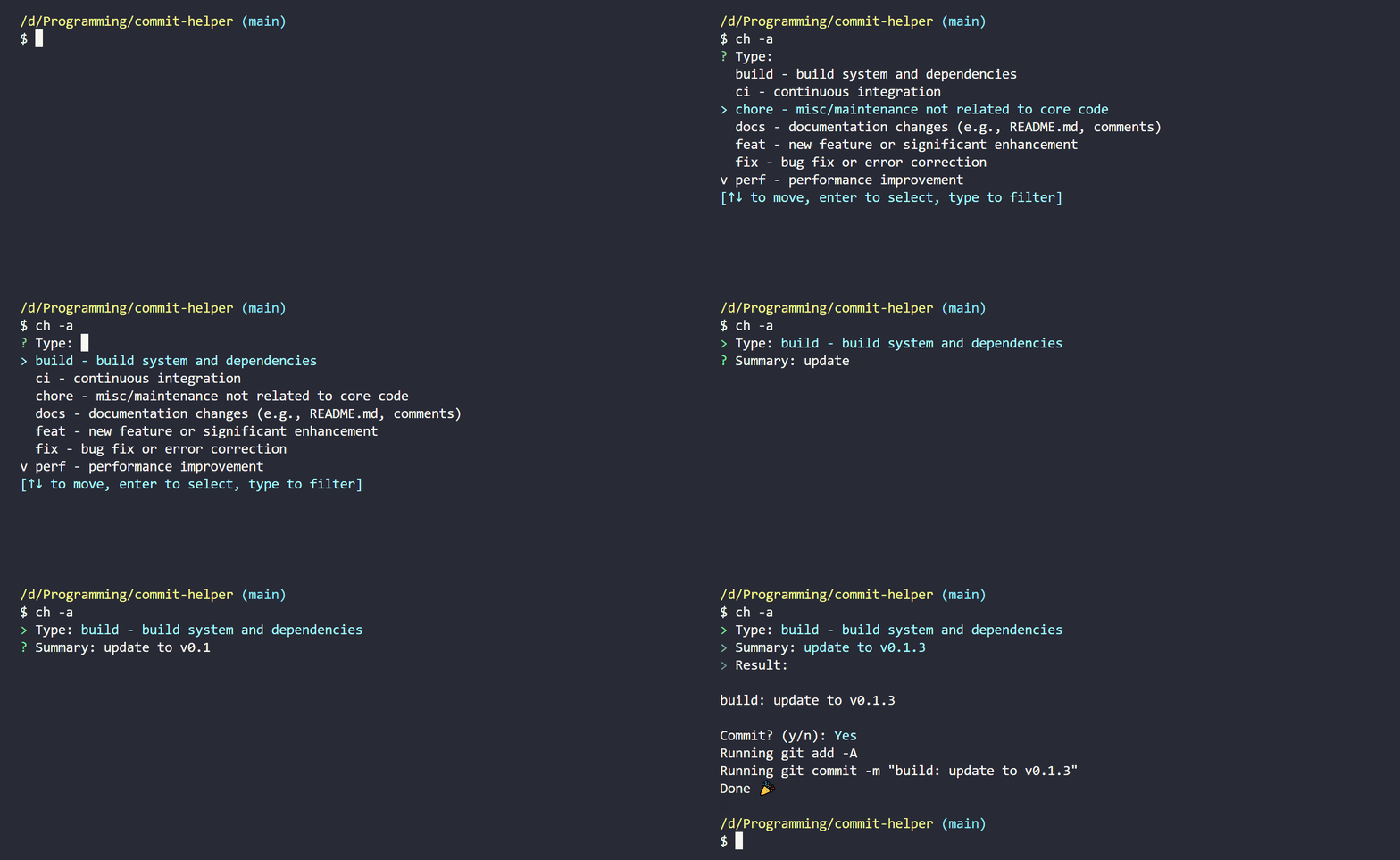
commit-helper
Rust
Building a CKAN Release Timeline
Python
CKAN
TimelineJS v3
HTML
View more written content on my blog.